Groups
Share expenses with up to 20 people, see who owes what and settle up with the fewest payments.
Groups are for trips, flats, dinners and anything else you share with several people.
Create a group
Choose New group and give it a name, a currency and its members. You're always a member, and a group can have up to 20 people. Members are names: they don't need a Settlr account.
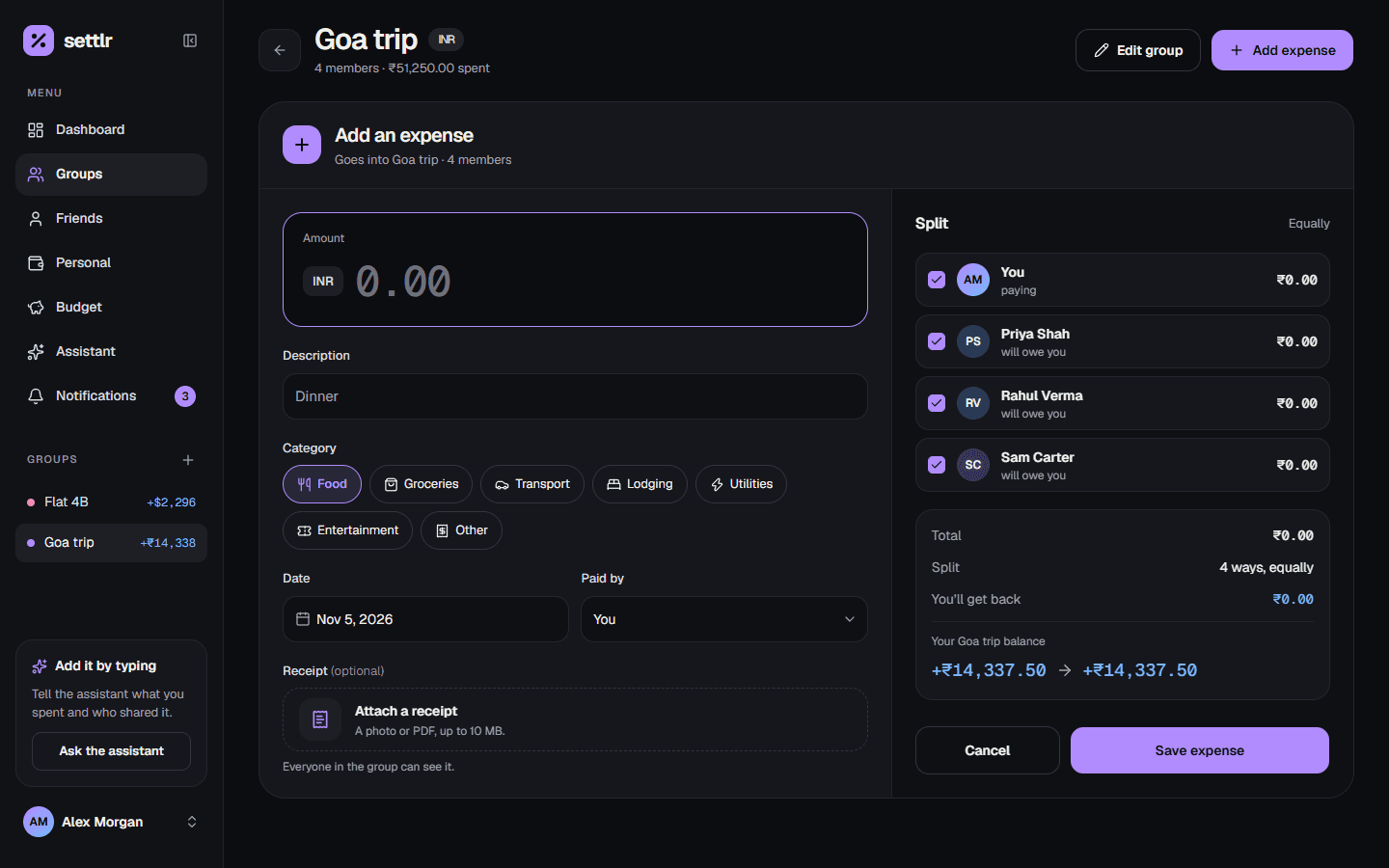
Add an expense
A group expense has a description, amount, category, date and optional receipt like any other, plus:
- Paid by: the member who paid.
- Split among: the members who share it. It's split equally between them, to the cent. When the amount doesn't divide evenly, the leftover cents go to the first members in the group's order, so the shares always add up to the total.
Group expenses are always in the group's currency.
Find expenses
The group page lists its expenses with filters for category and who paid, a search on the description, and sorting by date or amount. Filters live in the page's URL, so you can bookmark or share a filtered view. The list grows with Show more.
Balances and the settle-up plan
For every member, Settlr keeps what they paid, their share of the expenses and the payments they've made or received. A member's balance is:
paid − share of expenses + payments made − payments receivedPositive means the others owe them; negative means they owe.
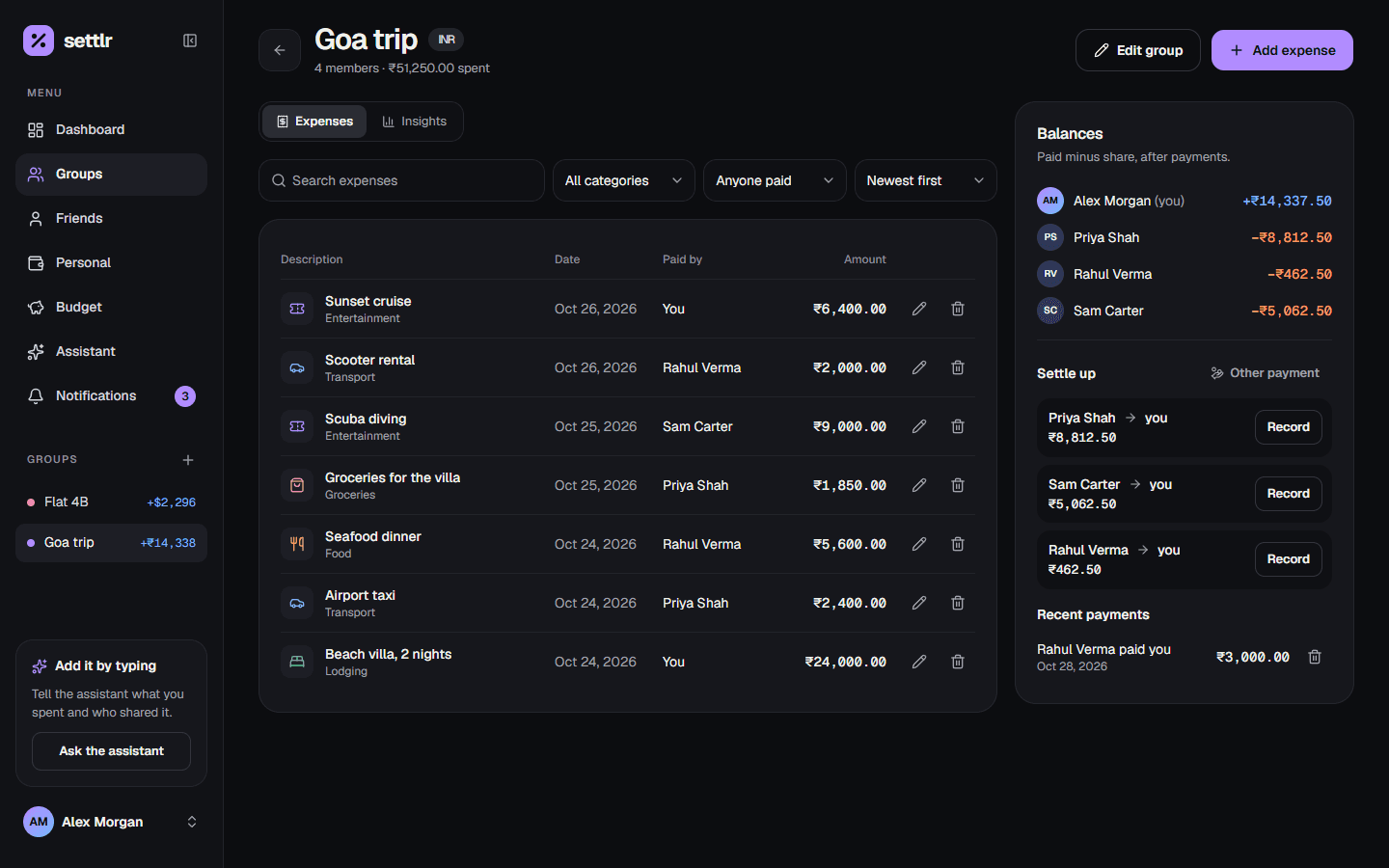
The settle-up plan lists payments that clear every balance. It repeatedly matches the person who owes the most with the person owed the most, so a group of n people never needs more than n − 1 payments.
Record a payment
Any member can record a payment, straight from the plan or for any amount between two members. Payments change balances but not the group's spending totals. A payment can be deleted if it was a mistake.
Insights
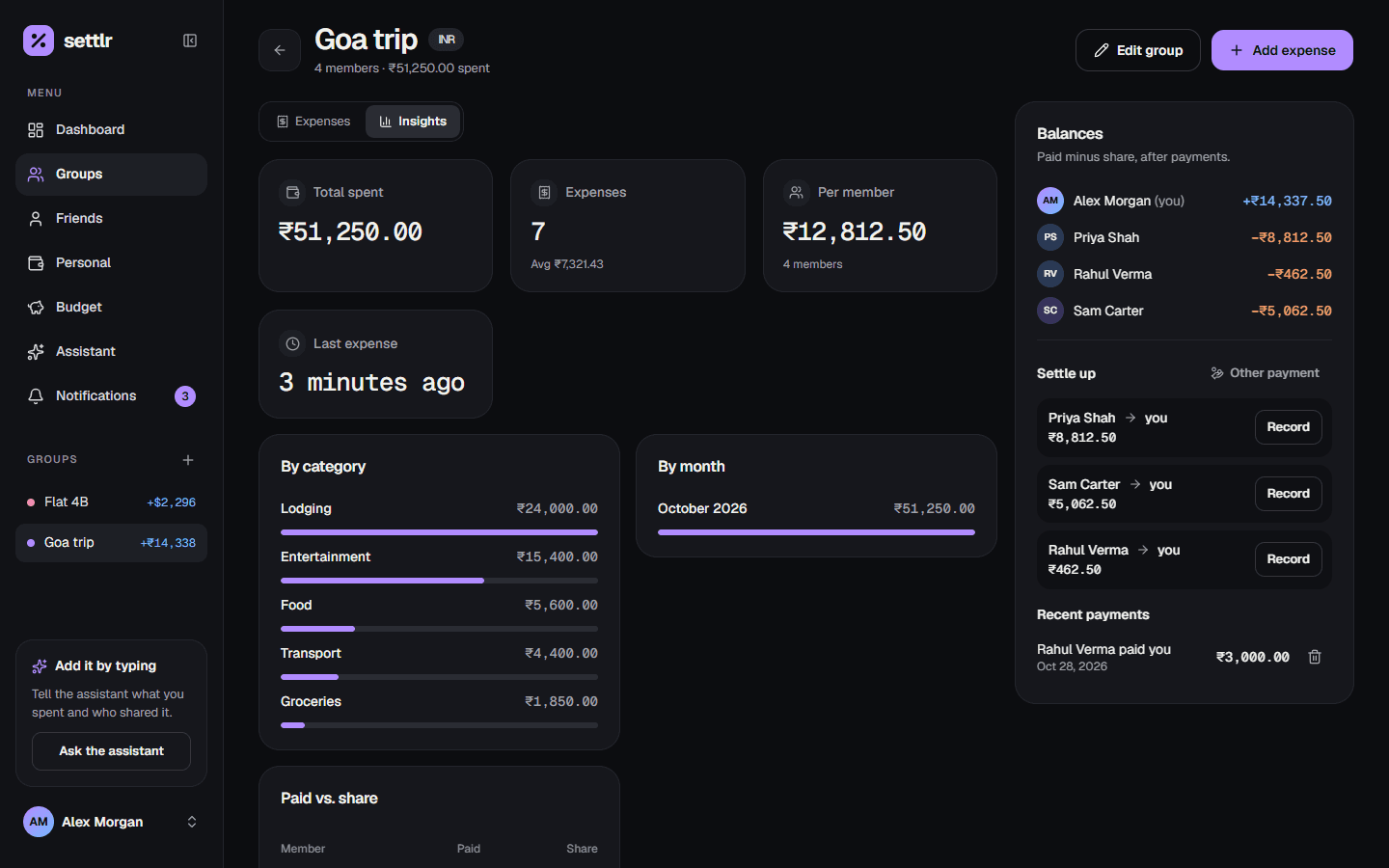
The Insights tab breaks the group's spending down by category and by month, and compares what each member paid with their share.
Edit the group
The group's owner can rename it and add, rename or remove members. A member can only be removed if they aren't on any expense or payment, and the currency can only change while the group has no expenses.
Share a group with friends
The owner can link a member to a friend who has accepted a friend request. A linked member:
- sees the group in their own Groups list,
- can add expenses and record payments,
- is notified when they're added, and when expenses or payments involve them.
Only the owner can edit or delete the group itself.