Notifications
Friend requests and the activity of people you share expenses with.
The bell in the top bar shows how many unread notifications you have. It opens a dropdown with the latest ones; More opens the full list on the Notifications page.
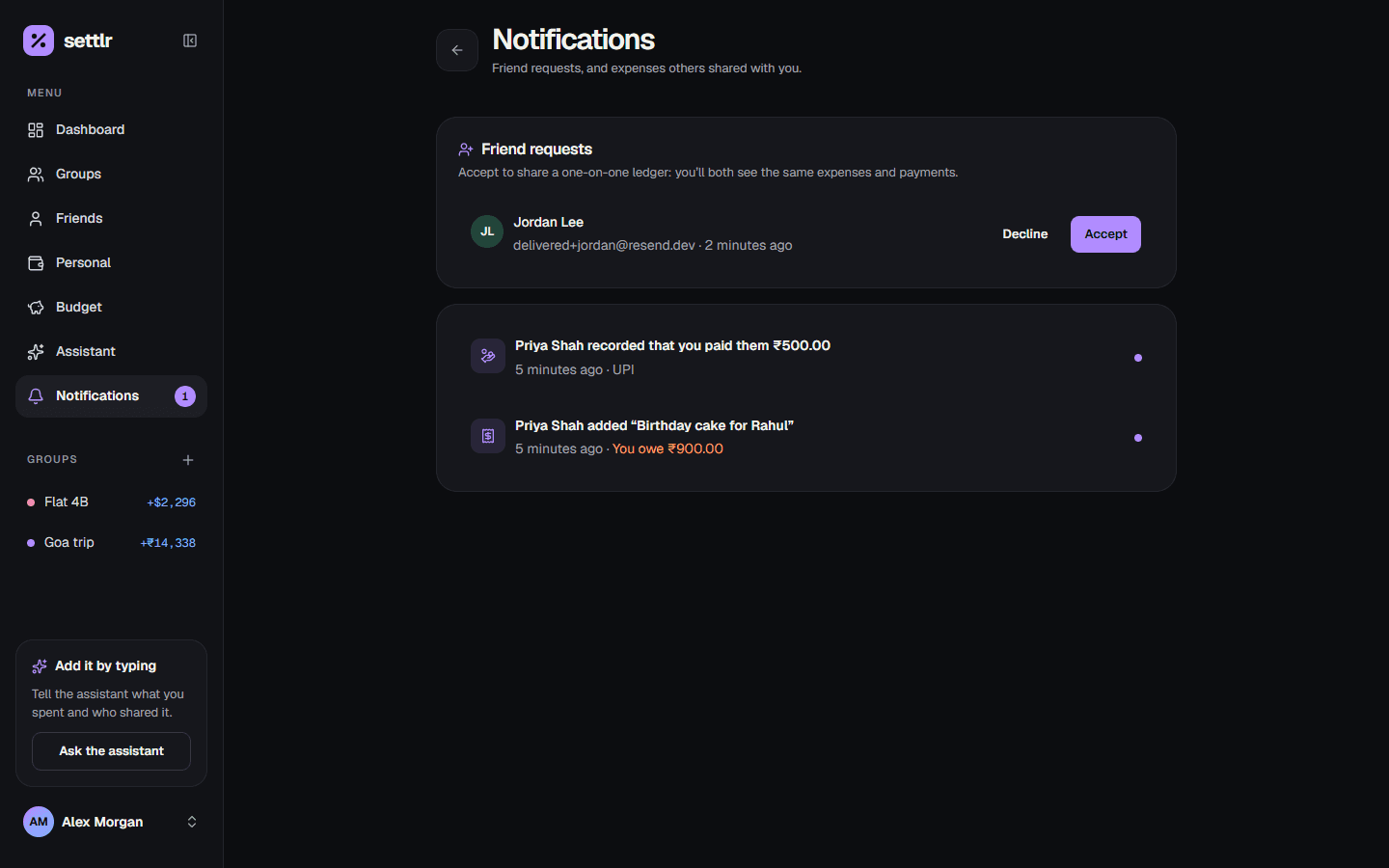
What you're notified about
- A friend request, which you can accept or decline right there.
- Someone accepted your friend request.
- A linked friend added or edited an expense with you, or recorded a payment.
- You were added to a group.
- Someone added or edited a group expense that involves you.
- Someone recorded a group payment with you ("Priya paid you").
Amounts are from your side: your share of an expense, or the payment amount.
Accepting a friend request
Accepting links your ledgers (see Shared ledgers). If you already track that person under the same email, Settlr reuses that friend, so your existing history is kept and shared. If you had also sent them a request, it's answered at the same time.